

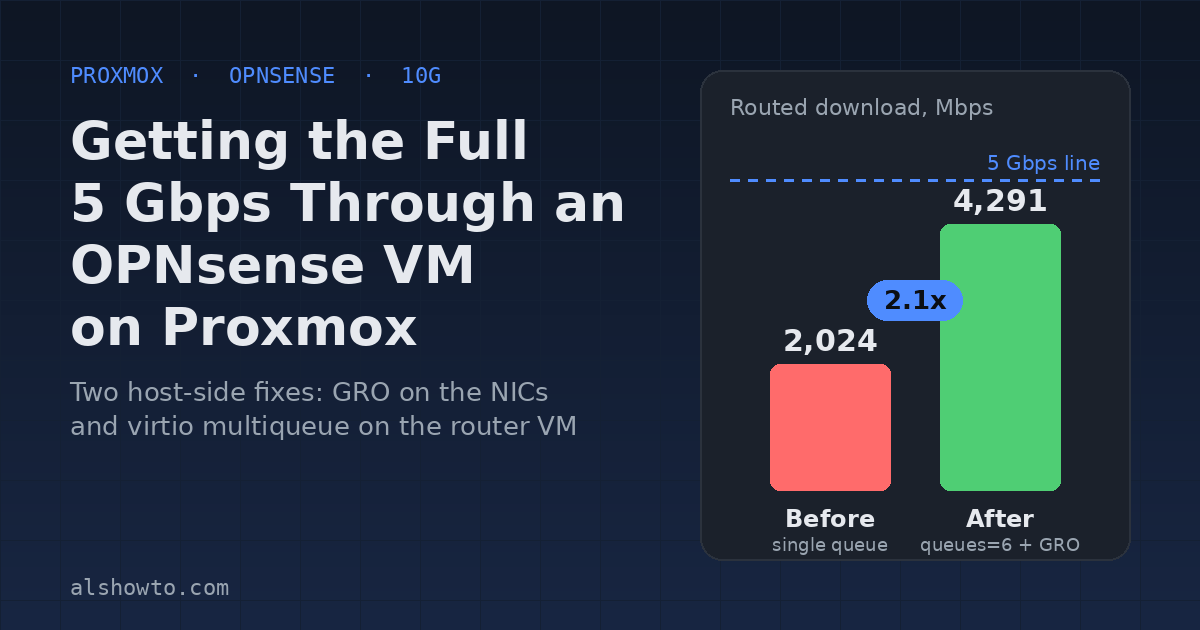
I have a 5 Gbps symmetric fiber line. A PC plugged straight into the ONT pulled the full 5 Gbps. Any VM on my Proxmox cluster, routed through my OPNsense VM, topped out around 2 Gbps. This post is the investigation and the two changes that got the routed path to 4.2 to 4.3 Gbps down and close to 5 Gbps up, plus a few things I tried that did not help.
The setup
OPNsense runs as a VM on a Proxmox host with a 10G NIC. LAN traffic comes in from other hosts over a 10G switch, the OPNsense VM routes it, and it goes back out through the same 10G port on a WAN VLAN to the ISP. So every routed byte hairpins through one physical port on the router host.
- Router host: Ryzen 5 7600X, Broadcom 10G NIC (bnx2x)
- Speedtest VMs: Debian 13 on a second host, Xeon E5-2683 v4, Intel 10G NIC (ixgbe)
- OPNsense 26.7 on FreeBSD 15, 6 vCPUs, virtio NICs
- LAN uses jumbo frames (MTU 8000), WAN is MTU 1500
First I ruled out the switch and the host uplinks. iperf3 between the two Proxmox hosts across the switch ran 9.9 Gbps in both directions. The network was fine. The problem was inside the hosts.
How I measured
The trick that made this solvable was building an A/B rig where I could take one piece out of the path at a time.
- Bypass the router. One VM has a second NIC directly on the WAN VLAN.
speedtest -I eth1shows what the host and ISP can do with OPNsense out of the picture. - Router only, no ISP. An iperf3 server on a different VLAN forces traffic through OPNsense without touching the internet.
- Switch only. iperf3 host to host on the management subnet.
- Where the CPU goes. On the Proxmox host, run
top -H -p $(cat /var/run/qemu-server/<vmid>.pid)during a test. Avhost-*thread pinned near 100% means a single-queue virtio NIC. ACPU N/KVMthread pinned means the guest itself is the limit.
All speed tests below are the Ookla CLI against the same ISP server: speedtest -s <server-id>.
Root cause 1: GRO was disabled on the host NICs
The host that runs my speedtest VMs had this in /etc/network/interfaces on each 10G port, left over from some long-forgotten troubleshooting:
post-up /sbin/ethtool -K eno1 tso off gso off gro off lro off tx off rx offWith generic receive offload (GRO) off, every 1500-byte internet frame is handled one at a time through the bridge and a single vhost thread on a 2.1 GHz core. Jumbo frames on the LAN hid the problem, because MTU 8000 is about five times fewer packets per second. Internet traffic is always 1500 bytes, so it hit the wall.
| 1500-byte download into a VM on that host | GRO off | GRO on |
|---|---|---|
| iperf3 from another host | 3.8 Gbps | 9.4 Gbps |
| Speedtest, router bypassed | 2623 down / 5170 up | 5160 down / 5159 up |
The fix was one word. Turn it on live, then change the interfaces file so it survives a reboot:
ethtool -K eno1 gro on
# and in /etc/network/interfaces change "gro off" to "gro on"
I left the other offloads off since upload already hit line rate with them off, and I did not know why they had been disabled in the first place.
Root cause 2: single-queue virtio NICs on the OPNsense VM
This was the big one. The OPNsense VM’s NICs had no queues= option in the Proxmox config. Each virtio NIC then gets exactly one vhost kernel thread on the host, so every packet for that NIC goes through one core. During every test through the router, one vhost-<pid> thread sat at 97% CPU and throughput stalled at 2 to 3 Gbps no matter which direction I pushed.
| Through OPNsense, before | Result |
|---|---|
| Speedtest from a LAN VM | 2024 down / 2437 up Mbps |
| iperf3 LAN to another VLAN, either direction | 2.6 to 3.0 Gbps |
The fix is to give each NIC as many queues as the VM has vCPUs. Proxmox recommends matching the two. Do this with the VM shut down. Never change queues on a running router: Proxmox hot-replugs the NIC and FreeBSD can renumber the vtnet interfaces, which breaks OPNsense’s interface assignments. Shut down, set, start. My downtime was about 16 seconds from start to internet reachable.
cp /etc/pve/qemu-server/106.conf /root/106.conf.bak
qm shutdown 106 --timeout 90
qm set 106 --net0 virtio=<mac>,bridge=vmbr0,mtu=8000,queues=6
qm set 106 --net1 virtio=<mac>,bridge=WanNet,mtu=1,queues=6
qm set 106 --net2 virtio=<mac>,bridge=VNet2,mtu=8000,queues=6
qm set 106 --net3 virtio=<mac>,bridge=vmbr0,mtu=8000,tag=7,queues=6
qm set 106 --cpu host
qm start 106
Two other things changed in the same pass:
- Dropped
firewall=1from every NIC. I had no Proxmox firewall rules for that VM, so the flag only added an extra bridge hop (fwbr106iN) per packet. OPNsense is the firewall. - Set
cpu: host. This exposes the Ryzen’s full instruction set to FreeBSD instead of the generic kvm64 model.
After the change the host shows Combined: 6 on each tap interface and 30 vhost threads for the VM instead of 5. Inside OPNsense, sysctl dev.vtnet.0.act_vq_pairs reports 6.
Results
All numbers from the same LAN VM through OPNsense against the same speedtest server.
| Test | Before | After GRO + multiqueue |
|---|---|---|
| Speedtest download | 2024 Mbps | 4218 to 4291 Mbps |
| Speedtest upload | 2437 Mbps | 3311 to 4504 Mbps |
| iperf3 LAN to VLAN, 4 streams | 2.77 Gbps | 6.92 Gbps |
| iperf3 VLAN to LAN, 4 streams | 2.61 Gbps | 6.14 Gbps |
| iperf3 single stream | 3.00 Gbps | 4.09 Gbps |
| Busiest thread on the router host | one vhost at 97% | vCPUs 40 to 53%, vhost 35 to 54% |
For reference, the router-bypassed test from the same host did 5160/5159 Mbps over IPv6 and 5225/5103 over IPv4. So the routed path now gets about 80% of line rate down and nearly all of it up.
What I tried that did not help: RSS in OPNsense
After the multiqueue change the guest was no longer CPU-bound, but only two of the six vtnet queues were carrying traffic (41% and 26% interrupt on two cores, the other four idle). The obvious next step was to enable receive side scaling so FreeBSD spreads flows across all six. I added this to /boot/loader.conf.local and rebooted:
net.inet.rss.enabled=1
net.inet.rss.bits=3
net.isr.maxthreads=-1
net.isr.bindthreads=1
It did spread the load. All six cores got busy. But the software hashing cost more than the spreading gained:
| Through OPNsense | Multiqueue only | Multiqueue + RSS |
|---|---|---|
| Speedtest download | 4218 to 4291 Mbps | 3626 to 4249 Mbps |
| Speedtest upload | 3311 to 4504 Mbps | 3848 to 4438 Mbps |
| iperf3 4 streams | 6.92 Gbps | 5.70 Gbps |
| iperf3 single stream | 4.09 Gbps | 3.48 Gbps |
| Busiest core during download | 46% interrupt, 2 cores active | 62 to 73% interrupt on all 6 |
I removed the file and rebooted again. After that the router settled at 4282/4990 and 4324/4943 Mbps. The remaining gap to line rate is not worth more router tuning. About 4.2 to 4.3 Gbps routed is the practical ceiling for this VM.
I also deliberately left hardware checksum offload disabled. Enabling it on virtio has a history of pf and vtnet checksum bugs, and since the guest is not CPU-bound there is nothing to gain.
Why the same VM is slower on an older host
I migrated the router to an older host (Xeon E5-2683 v4, Chelsio T320 10G card) to see how it compared. Download was about the same, upload dropped to 3 Gbps, and iperf3 through the router fell from 6.9 to 3.9 Gbps. Three reasons, in order of weight:
- Per-core speed. OPNsense forwards each flow on one core. The 2016 Xeon runs 2.1 to 3.0 GHz, the Ryzen runs 5.4 GHz. On the Xeon the vCPU threads pegged at 95 to 100% where the Ryzen had half its headroom left. Adding more vCPUs does not help because each flow is still bound to one slow core.
- Hairpin through one port on an old bus. Every routed byte enters and leaves on the same NIC port. The T320 is a PCIe gen1 x8 card shared by both ports, so at 5 Gbps line rate the hairpin alone needs 10 Gbit of a roughly 16 Gbit bus, and the second port carries storage traffic.
- Fewer receive queues. The Chelsio exposes 4 queue sets per port, against 63 on the Intel ixgbe.
So the router stays on the Ryzen host, pinned there with an HA group preference, and the Xeon is the emergency fallback.
A side effect to know about: rebooting OPNsense can change your IPv6 prefix
Each reboot for this work sent a DHCPv6 Release on the WAN, and my ISP handed back a different delegated /60 every time. Everything that had the old prefix baked in (a keepalived VIP, a few AAAA records) went stale. The fix is Interfaces > WAN > Prevent release. With that on, OPNsense re-requests the lease at boot instead of releasing it, and the ISP returned the same prefix on the next two reboots. If you run IPv6 at home behind OPNsense, turn that on before you start rebooting for tuning.
Summary
- Check
ethtool -kon your Proxmox host NICs. GRO off will cap 1500-byte traffic hard even when jumbo LAN traffic looks fine. - Add
queues=<vCPUs>to every virtio NIC on the router VM. Shut it down first. - Drop
firewall=1on the router VM’s NICs if you are not using the Proxmox firewall for it, and usecpu: host. - Skip RSS in the guest. On virtio it cost more than it gained.
- Put the router on your fastest single-core host, not your host with the most cores.
- Turn on “Prevent release” on the WAN before rebooting if you care about your IPv6 prefix.